
Wallpaper library
The “Installed” tab is your local wallpaper library, showing every wallpaper you’ve imported or downloaded. The “Subscribed” tab separately lists the Wallpaper Engine items associated with your Steam account.
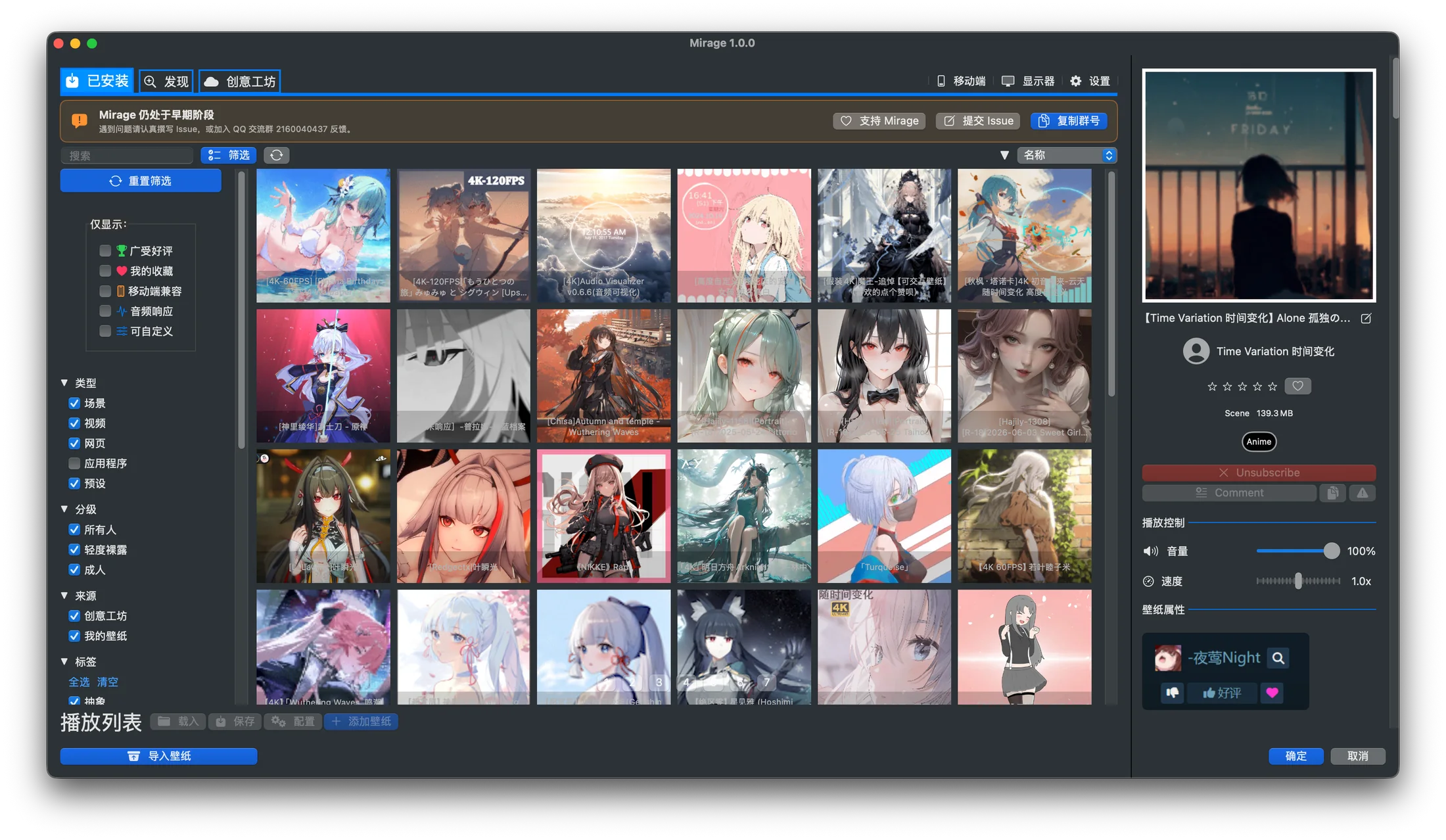
Real interface: the library with its filter panel open. The wallpaper grid and preview panel update as you select a work.
Browsing
Section titled “Browsing”Wallpapers appear as a grid of cards, each showing a preview image and a name. Scroll to browse everything, and click a card to select it and load the preview and properties panel.
Search
Section titled “Search”The search box on the left of the toolbar filters the library by keyword (such as a name) in real time.
Sorting
Section titled “Sorting”The right side of the toolbar controls sorting:
- Sort by: name, rating, or file size.
- Sort direction: ascending or descending; click the direction button to toggle.
Filtering
Section titled “Filtering”Click “Filter” to expand the sidebar, where you can combine the following conditions (for the detailed options, see the Interface tour):
- Show only: highly rated, my favorites, mobile compatible, audio responsive, customizable.
- Type: scene, video, web, application, preset.
- Content rating: everyone, mild nudity, mature.
- Tags: Abstract, Anime, Game, Landscape, Nature, Sci-Fi, and other common Wallpaper Engine categories.
The “Reset filters” button at the top of the sidebar clears all conditions at once.
Favorites
Section titled “Favorites”Once you add a wallpaper to “My favorites”, you can check “My favorites” in the filter panel to quickly find the works you use most.
Refresh
Section titled “Refresh”When “Auto refresh” is enabled in Settings, a refresh button appears in the toolbar to re-scan the wallpaper directory and promptly reflect newly imported or downloaded content.
Wallpaper sources
Section titled “Wallpaper sources”The library brings together works from different sources:
- Imported local directories
- Wallpaper packages generated by video conversion
- Content downloaded from the Steam Workshop
For where each source is actually stored, see Data directories.
The Subscribed tab requires Steam sign-in. It can search the subscription list, filter downloaded status, and queue missing items; it does not replace the installed library until an item has been downloaded.
Once you’ve picked a wallpaper, head to Apply wallpaper to set it as your desktop wallpaper.