Browse the Workshop
Once setup is done, switch to the Workshop tab to browse Wallpaper Engine’s vast library of Workshop content.
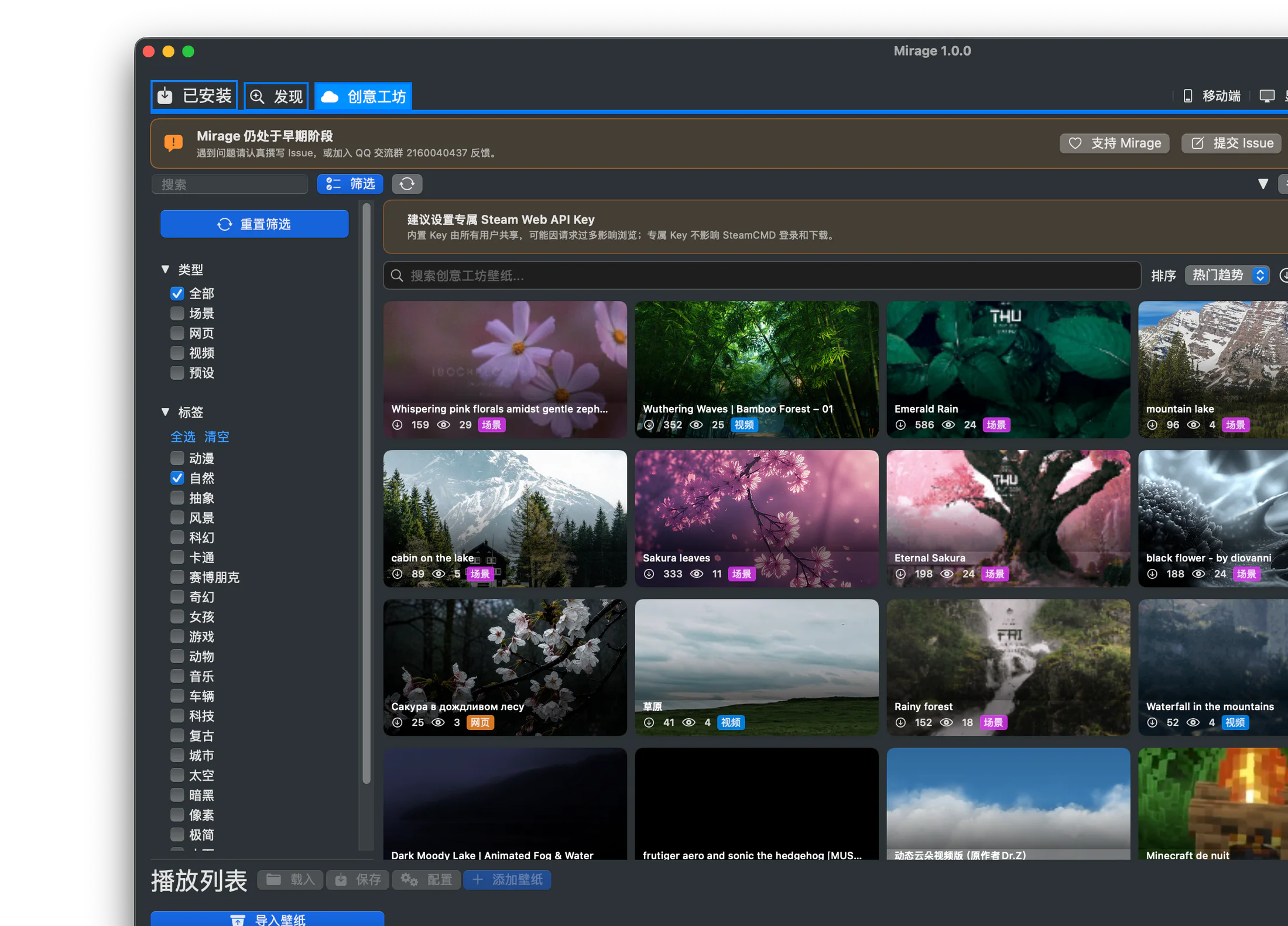
Sorting, search, tags, and the result grid all live in the same browsing view.
Sort options
Section titled “Sort options”You can sort your browsing at the top by:
| Sort | Description |
|---|---|
| Trending | Content gaining traction recently (about 7 days) |
| Newest | By publish date, newest first |
| Most Subscribed | Highest cumulative subscriptions |
| Top Rated | Highest overall rating |
Tag categories
Section titled “Tag categories”The tag bar offers a rich set of categories, for example:
Anime, Nature, Abstract, Landscape, Sci-Fi, Cartoon, Cyberpunk, Fantasy, Girls, Game, Animal, Music, Vehicle, Technology, Retro, City, Space, Dark, Pixel, Minimalist, Underwater, Relaxing, Medieval, and more.
Selecting a tag shows only content in that category, and can be combined with sort and search.
Search
Section titled “Search”The search bar supports finding Workshop items by keyword, and combined with tags it can narrow things down further.
Pagination and loading
Section titled “Pagination and loading”Results load in pages (about 30 items each); scroll or page through to load more. Preview thumbnails are cached, so repeated browsing is faster.
Item details
Section titled “Item details”Click an item to view its details: title, author, preview, tags, rating, description, and other metadata. Once you’re happy with it, you can download; see Download and Manage.
Presets
Section titled “Presets”Some Workshop items are presets: they don’t contain a complete wallpaper themselves, but depend on another base work and override its properties. Mirage recognizes presets and prompts you to download their dependency first when needed; see Presets.
Content rating
Section titled “Content rating”Workshop content comes with rating information. Please use discretion. Mirage’s local filter panel also supports filtering downloaded content by “Everyone / Questionable / Mature.”